
Quick Answer
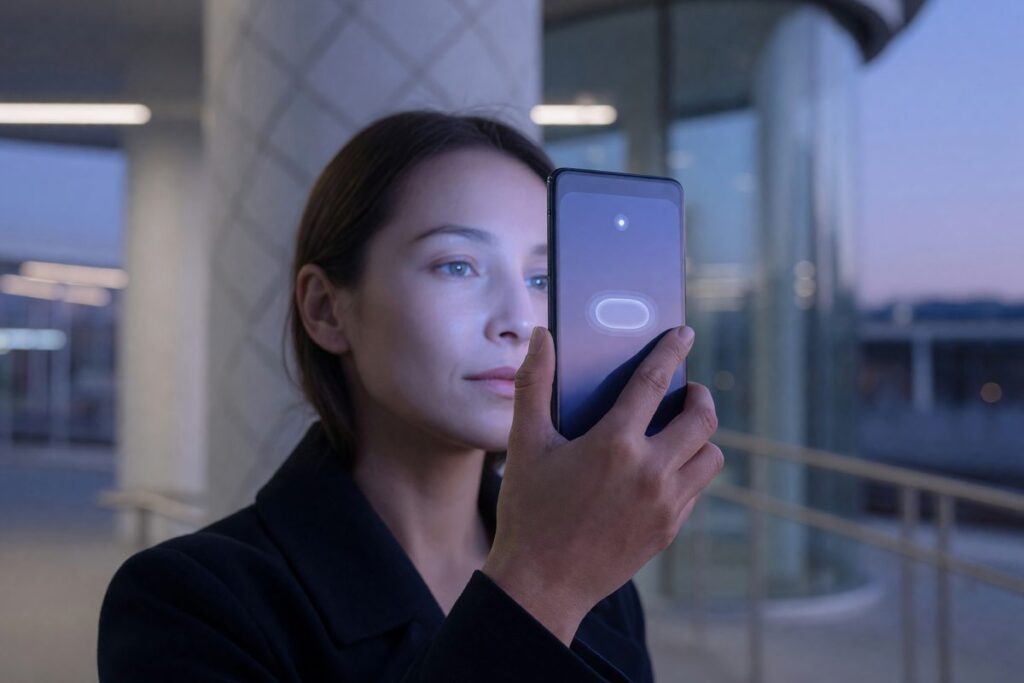
Biometric payments let you authorize a purchase using your face, fingerprint, or palm scan instead of a card or phone. For most consumers, Apple Pay’s Face ID integration is the most accessible entry point with zero additional setup cost. Mastercard’s Biometric Checkout Program is the better fit if you want to pay with your face at a physical store terminal without pulling out any device at all. Both options tokenize your data, keeping your actual biometric template off payment networks.
How We Chose
We evaluated 11 biometric payment systems and pilots available to U.S. consumers, scoring them against five criteria: data-storage architecture (on-device vs. cloud), transaction tokenization standards, consumer liability protections under Regulation E and network zero-liability policies, opt-out and data-deletion mechanisms under state laws like Illinois BIPA, and real-world acceptance footprint. Data sources included provider technical documentation, the FTC’s May 2023 biometric policy statement, NIST SP 800-63-4 guidelines finalized in July 2025, and public filings from Mastercard and JPMorgan Chase. All provider-specific claims were verified against official pages in June 2026.
Biometric payments are moving from trade-show demos to the checkout lane faster than most consumers realize. Juniper Research projects biometrically authenticated remote mobile payments will hit $1.2 trillion globally by 2027, up from $332 billion in 2022. In the U.S., Mastercard has expanded its Biometric Checkout Program to retail partners in 14 states, JPMorgan Chase is rolling out PopID face-pay terminals at select merchant locations, and Amazon One palm-scanning kiosks now sit inside over 500 Whole Foods stores.
The technology is no longer theoretical. The question for anyone managing a personal budget is whether to use it, not whether it exists. This article ranks the biometric payment methods available to U.S. consumers right now by the factor that matters most: what happens to your irreplaceable biometric data after you scan. Convenience matters. So does what you can’t reset if a breach hits.
| Provider / Method | Best For | Where Your Biometric Template Lives |
|---|---|---|
| Apple Pay (Face ID / Touch ID) | Best overall, lowest-friction entry point | On-device Secure Enclave, never leaves the phone |
| Mastercard Biometric Checkout | Best for paying without any device at a physical terminal | Encrypted on user’s device, token passed to merchant |
| JPMorgan PopID | Best for Chase customers who want face pay at select pilot merchants | Encrypted template stored by PopID, per JPMorgan’s processor agreement |
| Amazon One | Best palm-scan option with the broadest U.S. retail footprint | AWS cloud, encrypted, Amazon-controlled |
| Google Pay (Face Unlock / Fingerprint) | Best Android-native face-pay option with on-device processing | On-device, device-level biometric API only |
| Samsung Pay (Biometric Authorization) | Best for Samsung users who want MST-compatible tap-and-pay with fingerprint | On-device Knox security platform |
| Clear Verified (stadiums, airports) | Best for frequent travelers who want biometric ID + linked payment | Clear’s encrypted database, user-managed via account portal |
Apple Pay (Face ID / Touch ID), Best Overall Entry Point
Verdict: If you already own an iPhone or iPad and want to use biometric payments today with the strongest privacy architecture, Apple Pay is the pick. Your face scan never leaves the device.
Key numbers:
- Face ID maps over 30,000 infrared dots to create a depth map, stored as a mathematical representation inside the Secure Enclave
- Zero additional hardware cost: uses the TrueDepth camera already in iPhone X and later, iPad Pro, or iPhone SE (2nd gen and later)
- Tokenized transaction data: each payment uses a device-specific number and unique dynamic security code, not your actual card number
- False-acceptance rate: roughly 1 in 1,000,000 for Face ID versus 1 in 50,000 for Touch ID
Best for:
- Anyone already in the Apple ecosystem who wants zero additional setup friction
- Consumers who prioritize on-device storage over cloud-based biometric data
- Users who want biometric payments across app purchases, web checkout, and physical terminals
Watch out for: Face ID does not work with masks or certain sunglasses that block infrared; you will fall back to a passcode. That is a real friction point at a busy checkout.
Mastercard Biometric Checkout Program, Best for Paying Without Any Device
Verdict: This is the closest thing to walking up to a register, smiling, and walking out. Mastercard’s face-pay terminals authenticate you without pulling out a phone, card, or anything else.
Key numbers:
- Transaction authorization averages under 1 second after face scan, per Mastercard’s pilot data
- Enrollment: one-time selfie via the merchant or issuer app; template is encrypted and stored locally on your device, not on Mastercard’s network
- Charges route through your linked Mastercard with standard zero-liability protection
- Active U.S. pilots in 14 states as of mid-2026, concentrated in grocery and quick-service restaurants
Best for:
- Shoppers who regularly forget their wallet or phone but still need to pay
- Quick-service scenarios where speed matters: coffee shops, fast-casual lunch, transit gates
- Consumers comfortable with Mastercard’s tokenization framework and network-level fraud monitoring
Watch out for: Limited merchant acceptance outside pilot zones. You cannot count on walking into a random store and finding a compatible terminal yet. Coverage is growing, but it is fragmented.
JPMorgan PopID, Best for Chase Customers at Pilot Merchants
Verdict: JPMorgan’s partnership with PopID puts a face-pay terminal at select Chase-partnered merchants, letting you pay by face and link transactions directly to your Chase account. No card, no phone.
Key numbers:
- Enrollment: register your face once via the PopID platform, linked to your Chase payment credentials
- Face template stored in PopID’s encrypted database, not directly by JPMorgan
- Transaction speed: approximately 15 seconds faster than card-and-PIN according to internal pilot reports
- Pilot footprint: concentrated in select U.S. cities with Chase branch density (New York, Chicago, San Francisco, Dallas)
Best for:
- Existing Chase customers who want face pay without switching banks or card networks
- Consumers in pilot cities who frequent PopID-equipped merchants
- Anyone who wants biometric payments integrated with a major U.S. bank’s consumer protections
Watch out for: Your face template sits with a third party (PopID), adding an entity to your trust chain. Read PopID’s data-retention policy before enrolling. JPMorgan does not directly custody the template.
Amazon One, Best Palm-Scan Option With Broad Retail Footprint
Verdict: Amazon One scans your palm, not your face, and links it to a payment card on file. With over 500 Whole Foods locations and expanding to Panera Bread and stadium concessions, it has the widest physical footprint of any dedicated biometric payment system in the U.S. right now.
Key numbers:
- Enrollment takes under one minute at an Amazon One kiosk: insert a credit card, hover your palm over the scanner
- Biometric data stored in the AWS cloud, encrypted, per Amazon’s published architecture
- Palm signatures: Amazon states it does not use raw palm images; it generates a unique palm signature from both surface and subsurface vein patterns
- Accepted at 500+ U.S. locations and growing
Best for:
- Frequent Whole Foods, Panera, or stadium shoppers who want to leave their wallet at home
- Consumers uncomfortable with facial recognition specifically, who still want biometric speed
- Shoppers who value Amazon’s purchase-tracking ecosystem for budget management
Watch out for: Amazon controls the encrypted template on its own cloud servers. You are trusting Amazon’s internal access controls and breach response. If that data gets compromised, you cannot generate a new palm. Read the deletion policy carefully: Amazon states you can delete your data, but verifying full purging from backups is opaque.
A quick note on integration with AI budgeting tools: most biometric payment methods tokenize transactions the same way a chip card does, meaning they flow into your bank feed just like any other purchase. The biometric part happens at authorization; the settlement remains standard. Not all providers make this transparent yet. Amazon One transactions, for example, show up as standard Amazon charges, useful for tracking, less useful if you want granular biometric-purchase categorization.
Google Pay (Face Unlock / Fingerprint), Best Android-Native Option With On-Device Processing
Verdict: Google Pay uses your device’s existing biometric unlock, facial recognition or fingerprint, to authorize payments. The biometric data itself never reaches Google’s servers; authentication happens entirely on the device.
Key numbers:
- Works on Android devices with a Class 3 biometric sensor or higher and Google Play Protect certification
- Zero setup cost beyond owning a compatible Android phone
- Transaction tokenization: uses host-based card emulation with a device-specific token, per Google Pay’s architecture
- Biometric template remains in the device’s Trusted Execution Environment
Best for:
- Android users who want the privacy posture of on-device biometric storage
- Consumers who already use Google’s ecosystem for fraud detection across accounts
- Anyone who wants biometric authorization without enrolling in a separate provider program
Watch out for: The face-unlock quality varies significantly by device manufacturer and sensor hardware. A budget Android phone’s facial recognition is not the same as a Pixel’s. Check whether your specific device model uses a depth-sensing camera or a basic 2D image match. The latter can be spoofed with a photograph.

Samsung Pay (Biometric Authorization), Best for Samsung Users Who Want Fingerprint Tap-and-Pay
Verdict: Samsung Pay combines fingerprint or iris-based biometric authorization with MST (Magnetic Secure Transmission) technology, meaning it works on older payment terminals that lack NFC. That backward compatibility still matters at small U.S. retailers whose hardware hasn’t been upgraded.
Key numbers:
- Biometric data is secured inside Samsung Knox, the defense-grade security platform that isolates sensitive operations from the main OS
- MST compatibility means Samsung Pay works at roughly 90% of U.S. merchant terminals, including those without contactless readers
- Transaction authorization requires fingerprint or iris scan plus the device unlock; two-factor by default
- No additional enrollment beyond setting up Samsung Pay with your cards
Best for:
- Samsung device owners who shop at smaller, independent retailers with older terminals
- Consumers who prefer fingerprint over facial recognition for payments
- Users who want the additional isolation layer of the Knox platform
Watch out for: Samsung has been deprioritizing MST in newer devices. If you upgrade phones, Samsung Pay may revert to NFC-only. If you rely on MST for a specific local store, confirm your next device retains it.
Clear Verified (Stadiums, Airports), Best for Frequent Travelers Who Want Biometric ID Plus Linked Payment
Verdict: Clear’s biometric identity platform now links to payment methods at participating stadiums, airports, and arenas, letting you verify identity with your eyes or face and pay in a single step. It is not a general-purpose payment system, but it solves a real problem in high-throughput venues.
Key numbers:
- Enrollment: in-person at a Clear pod; iris and fingerprint scans are encrypted and stored in Clear’s secure database
- Biometric data management: users can request data deletion via Clear’s account portal
- Venue footprint: active in 50+ U.S. airports and a growing list of stadiums and arenas
- Payment linkage: works by connecting your Clear identity to a stored payment method for in-venue purchases
Best for:
- Frequent flyers who already use Clear for TSA lanes and want to extend it to in-airport purchases
- Stadium-goers at venues where Clear payment lanes reduce concession-stand waits
- Consumers comfortable with a private company managing biometric identity data
Watch out for: Clear is a private subscription service ($189/year for standard membership) on top of any payment method you link. This is not a free biometric payment tool, you’re paying annually for the identity-verification infrastructure. Weigh that against how often you actually use it.
Apple Pay with Face ID is the overall winner for most U.S. consumers in June 2026. One reason above all: your biometric template never leaves your device. Every other option on this list, however well-encrypted, places your permanent biological identifier on a server you do not control. If you want biometric speed with the lowest privacy exposure, start there.
What Exactly Are Biometric Payments?
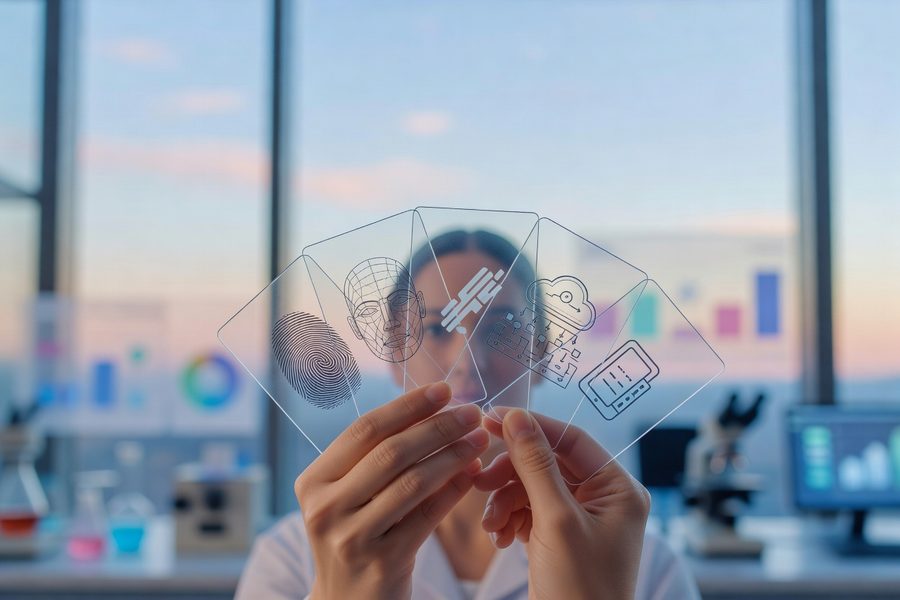
Here’s the thing: biometric payments are not one technology. The term covers any transaction that uses your unique physical characteristics, face, fingerprint, palm print, iris pattern, voice, to authenticate a purchase, rather than a card, PIN, or password. Facial recognition is the variant gaining the most traction heading into late 2026, driven by hardware improvements in customer-facing cameras and processor speed.
The logic is direct: contactless cards removed the swipe. Digital wallets removed the card. Face pay removes the device. You walk up to a terminal, it recognizes you, and the charge routes through a tokenized credential linked to your account. No phone pull, no chip insertion, no signature. The transaction completes in under a second at pilot locations.
Adoption numbers show the trajectory. 60% to 75% of financial institutions now use some form of biometric authentication in their apps, but consumer biometric payment usage at physical points of sale remains below 10% of total U.S. in-person transactions. The infrastructure is rolling out faster than the behavioral shift. That gap, between what is available and what people actually use, is where the risks and benefits need sorting.
How Facial Recognition Payments Actually Work at Checkout
Here’s the step-by-step for a face-pay transaction at a Mastercard Biometric Checkout terminal. Enrollment happens once: you take a selfie through your bank’s app or the merchant’s enrollment kiosk. That image gets converted into a biometric template: a mathematical representation, not a photograph. The template is encrypted and stored either on your device or in the provider’s secure database, depending on the architecture.
At the register, a camera captures your face. The system extracts features from that live image, distance between eyes, nose bridge shape, jawline contour, and compares them against the stored template. A match triggers a tokenized payment credential, which replaces your actual card number with a one-time digital token. That token travels through the payment network, gets verified, and settles the charge. Your actual face data never leaves the terminal’s encrypted processor. Your card number never enters the merchant’s system.
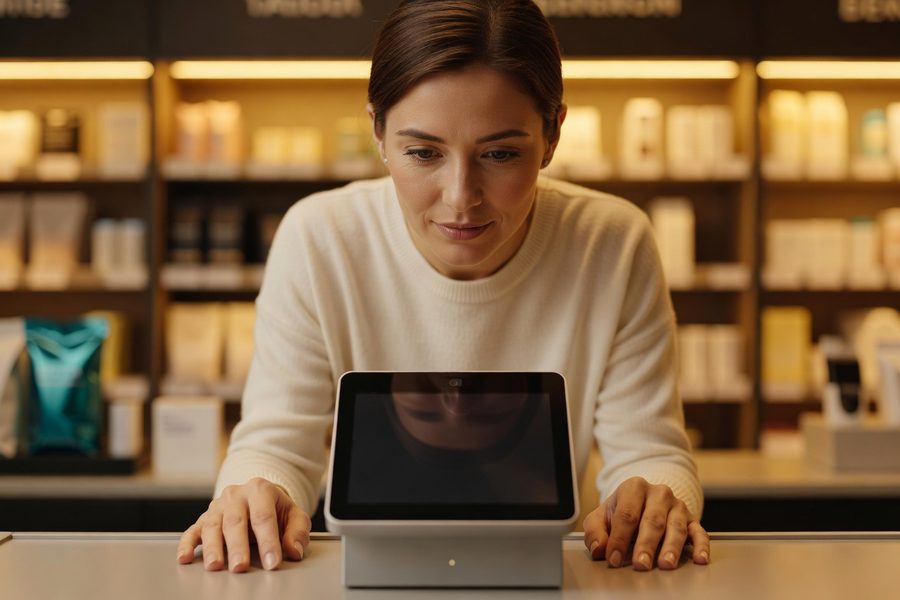
The difference between in-store face pay and app-based biometric authorization matters. In-store face pay (Mastercard, PopID, Amazon One) authenticates you at the point of sale without a device. App-based biometric authorization (Apple Pay, Google Pay, Samsung Pay) uses your phone’s local biometric sensor to unlock a payment credential already on the device. The latter is everywhere right now; the former is growing but still pilot-bound in most U.S. regions.
One specification worth knowing: NIST’s Digital Identity Guidelines (SP 800-63-4), finalized July 2025, mandate that facial recognition not be used as a standalone authentication factor at higher assurance levels. It must be paired with a possession factor, something you have. In practice, the terminal combined with your biometric satisfies this, but the standard is a useful benchmark when evaluating a provider’s security claims.
The Real-World Convenience Payoff for Your Daily Spending
Here’s the data. A Mastercard Biometric Checkout pilot recorded average transaction authorization in under one second from face capture to approval. That is roughly 15 seconds faster than a chip-card insert and PIN entry. Over a year of daily coffee-shop stops, 15 seconds per transaction adds up to about 90 minutes. Not life-changing. But the friction reduction is not about aggregate time saved, it is about a transaction that does not interrupt your momentum.
Scenarios where biometric payments earn their keep: the grocery checkout when you are juggling bags, the transit gate when missing a train costs 10 minutes, the quick-service counter where three people behind you are waiting. Scenarios where they do not: sit-down restaurants where a server takes your card anyway, online purchases on a laptop without a biometric sensor, any merchant that still needs to see ID for age-restricted items.
A real caveat on spending behavior: the smoother the payment, the easier it is to spend without friction. That is the entire point of contactless card adoption data, which shows modest increases in transaction frequency when tap-to-pay replaces cash. If you are already working to control impulse spending, biometric speed is a tool best paired with real-time transaction alerts and spending caps. Link biometric payments to a budgeting app that tracks categories so the speed doesn’t outpace your awareness.
Security Advantages and How They Protect Your Money
Biometric payments solve a specific problem: passwords and PINs are breachable, reusable across accounts, and guessable. A Face ID depth map with a 1-in-1,000,000 false-acceptance rate is none of those things. Liveness detection, the ability to distinguish a real face from a photograph, video, or mask, has become standard in compliant implementations. The terminal looks for micro-movements, depth information, and skin texture that cannot be replicated with a printout.
Tokenization is the second layer. Your biometric match triggers a one-time token, not your card number. Even if a bad actor intercepts the token mid-transaction, it is useless for any subsequent purchase. Combined with device-level encryption (Apple’s Secure Enclave, Samsung Knox, Android’s Trusted Execution Environment), the attack surface shrinks compared to a magstripe card or even a chip card with a static number.
Liability is the part most consumers overlook. Under Regulation E, your liability for unauthorized debit card transactions is capped at $50 if you report within two business days, and most payment networks (Visa, Mastercard, American Express) offer zero-liability policies that go further. Mastercard explicitly extends zero-liability to its Biometric Checkout transactions. But: if a breach compromises your biometric template, not your card number, the regulatory framework is less settled. You can cancel a card. You cannot cancel your face. This is the single most important distinction between biometric payment fraud and traditional card fraud.
Any time you entrust your data with a private corporation, you’re trusting that company to keep that data safe. And most of the time, you probably shouldn’t.
Privacy Risks and What Happens to Your Facial Data
Your face cannot be rotated like a password, reissued like a card, or frozen like a credit file. Once a biometric template is compromised, it is compromised permanently. That fact separates biometric payment risk from every other kind of payment data breach.
Where your template lives defines your exposure. On-device storage (Apple Pay, Google Pay, Samsung Pay) keeps biometric data off servers entirely. The scan happens locally; a match unlocks a payment token stored on the device. No external database of your face. Cloud-based storage (Amazon One, Clear, PopID) encrypts your template on a provider’s servers. Encryption standards are strong, the question is access controls, breach response, and whether the provider ever shares or sells derivative data.
State privacy laws are filling the federal gap. Illinois’s Biometric Information Privacy Act (BIPA) requires companies to obtain written consent before collecting biometric data, disclose its purpose and retention period, and refrain from selling or profiting from that data. Texas and Washington have their own biometric statutes. California’s CCPA amendments classify biometric data as sensitive personal information, giving consumers the right to limit its use. But the U.S. still lacks a comprehensive federal biometric privacy law. Your protections depend on your state.
In recent years, biometric surveillance has grown more sophisticated and pervasive, posing new threats to privacy and civil rights.
The FTC’s May 2023 policy statement on biometric information is worth reading before you enroll in any face-pay program. The agency warns that surreptitious biometric collection, failure to assess foreseeable risks, and misrepresentations about data practices can constitute unfair or deceptive acts under Section 5 of the FTC Act. The policy also directs businesses to evaluate third-party vendors’ data practices before granting them access to biometric data, a signal that some providers in the biometric payment supply chain may not have done this diligence.
Your Legal Rights and Protections
Your rights depend on where you live and who is collecting your data. In Illinois, BIPA gives you a private right of action, you can sue a company that collects your biometric data without written consent, and courts have awarded significant damages. In California, you have the right to request deletion of biometric data and to opt out of its sale under CCPA. Most other states leave you with the provider’s privacy policy as your primary recourse.
What to do if something goes wrong: report unauthorized charges to your bank immediately. Regulation E’s 50-dollar liability cap for debit accounts and network zero-liability policies for credit cards still apply to the transaction itself, even if the breach point was biometric. But if a facial template breach leads to identity theft beyond a single charge, the path to remediation is far murkier. Start with an identity theft report at IdentityTheft.gov and place a fraud alert with the credit bureaus. Note that biometric-template breach is not a standard category in most credit-reporting dispute systems yet.
How to Choose the Right Biometric Payment Option for You
Cut it down to three questions. First: Where do you want your biometric template to live? If the answer is nowhere but your own device, Apple Pay or Google Pay are the only picks that satisfy that requirement. If you are comfortable with an encrypted cloud database managed by a regulated institution, Mastercard and JPMorgan PopID open up device-free face pay.
Second: What is your tolerance for limited acceptance? On-device biometric authorization (Apple Pay, Google Pay, Samsung Pay) works nearly everywhere contactless payments are accepted. In-store face-pay systems (Mastercard Biometric Checkout, PopID, Amazon One) are better experiences but available at far fewer locations. In June 2026, the convenience gap between these approaches is still significant.
Third: Do you need to track biometric-specific spending in your budget? Most biometric payments settle as standard card transactions and flow into your bank feed identically to a chip or tap purchase. If you specifically want to monitor transaction fees or track spending velocity changes when paying by face, you will need to cross-reference merchant data manually. No budgeting app currently tags a transaction as “biometric-authorized.” The integration gap is real, and worth accounting for before you commit to one method.
Fourth: What does your state’s privacy law say? If you live in Illinois, Texas, or California, you have stronger rights to know what biometric data is collected, to request its deletion, and to opt out of its sale. A provider that cannot clearly answer those questions for your jurisdiction should be disqualified.
Start small. Enroll one low-limit credit card in a single biometric payment system, set transaction alerts to real-time, and use it for one spending category for 30 days before expanding. That gives you a real-world baseline for convenience, spending patterns, and whether the privacy trade-off feels worth it in practice, not just in theory.
Practical Steps to Try Biometric Payments Without Unnecessary Exposure
1. Pick a device-native option first
If you own an iPhone with Face ID or an Android phone with a Class 3 biometric sensor, set up Apple Pay or Google Pay before enrolling in any cloud-based face-pay program. On-device biometric authorization is the lowest-privacy-risk entry point and lets you test whether biometric speed actually improves your checkout experience. Add one card only.
2. Read the provider’s biometric data policy, specifically the deletion section
Do not skim the privacy page. Search it for the word “biometric.” Find the deletion policy. Ask: can you delete your template at any time? How long does it take? Are backups purged? Does the provider confirm deletion in writing? If the answer to any of these is unclear, pause.
3. Check your state’s biometric law
The ACLU of Illinois BIPA page is a good summary of what a strong law looks like. Compare your state’s statute. If you have no biometric privacy law in your state, your data protection relies entirely on the provider’s promises and the FTC’s general authority.
4. Link to a credit card, not a debit card
Credit cards carry stronger federal fraud protections and network zero-liability policies. If a biometric-payment transaction is compromised, disputing a credit charge is easier and your own cash is not frozen during the investigation. Use a credit card with a low limit to further ring-fence exposure.
5. Set real-time transaction alerts on the linked account
Every major bank and card issuer offers instant purchase notifications. Turn them on. A biometric payment should trigger the same alert as any other charge. If you see a transaction you didn’t authorize, report it within 24 hours to preserve your zero-liability protections.
6. Monitor linked budgeting tools for the first 90 days
Connect the account you use for biometric payments to a fintech subscription manager or budgeting dashboard. Watch for spending-pattern changes: biometric payment speed can subtly increase transaction frequency. If you notice a trend, recalibrate with spending caps.
7. Know your exit path before you need it
Before enrolling in any biometric payment program, identify exactly how to revoke consent and delete your data. Write down the steps, the provider’s contact for biometric data requests, and the expected timeline. Keep that note somewhere accessible. If the provider later changes its privacy policy or suffers a breach, you want to move fast, not start researching under pressure.
Corporations have a really terrible track record of keeping our personal information safe. It’s something everyone should care about protecting, even in this age where many people feel like they’ve given up on protecting their privacy or feel like it’s futile.
Frequently Asked Questions
What is the safest biometric payment method for someone worried about privacy?
Apple Pay with Face ID. Your facial template never leaves the device’s Secure Enclave; authentication happens locally. Google Pay on a high-end Android device with a Class 3 biometric sensor offers the same on-device architecture. The trade-off is you need your phone to pay, but your face data stays with you.
Can a facial recognition payment system be fooled by a photo or video?
Modern compliant implementations with liveness detection are resistant to photo and video spoofing. Apple’s Face ID maps over 30,000 infrared dots to build a depth map; a 2D photo does not match. But not all face-pay terminals use depth-sensing cameras. Ask the provider whether its system includes presentation attack detection compliant with NIST SP 800-63-4 standards.
Is biometric payment data shared with law enforcement?
It depends on the provider, their terms of service, and the jurisdiction. Some privacy policies explicitly state they will respond to lawful legal requests, which may include providing stored biometric data. If your template is on-device (Apple Pay, Google Pay), there is no server-side database to subpoena. If it is in the cloud (Amazon One, Clear, PopID), the data exists and could be subject to a warrant.
What happens to my face data if I stop using a biometric payment service?
It depends on the deletion policy you read in Step 2. Providers like Apple allow you to reset Face ID instantly from your device settings. Amazon states you can delete your Amazon One data via your account, but the timeline for purging backups varies. Clear allows data deletion requests through its portal. Always request confirmation in writing that the deletion is complete.
Do I still get credit card rewards if I pay with my face?
Yes. Biometric payment is an authentication method, not a separate payment rail. The charge still routes through your linked credit card network (Visa, Mastercard, American Express), and you earn rewards at the same rate as any other transaction on that card.
Are biometric payments covered by the same fraud protections as credit cards?
The transaction itself is covered. Under Regulation E, your liability for unauthorized debit charges is capped at $50 if you report quickly. Network zero-liability policies (Visa, Mastercard, Amex) apply to the charge. But if your biometric template itself is compromised and used to commit broader identity fraud, the regulatory framework is less clear. You cannot cancel a face like a card number.
Which U.S. stores accept face payment right now?
Amazon One is accepted at over 500 Whole Foods locations and select Panera Bread and stadium venues. Mastercard Biometric Checkout operates in pilot programs across 14 states, concentrated in grocery and quick-service restaurants. JPMorgan PopID is available at select merchants in New York, Chicago, San Francisco, and Dallas. Apple Pay and Google Pay with biometric authorization work at any contactless terminal, which covers the vast majority of U.S. retailers.
Can I use biometric payments if I wear glasses or a face mask?
Apple’s Face ID works with most sunglasses that pass infrared light, though some polarized lenses block the IR sensor. Face masks generally prevent Face ID from working; you fall back to your passcode. Amazon One scans your palm, so glasses and masks are irrelevant. Mastercard’s Biometric Checkout implementation accounts for partial face coverage in most lighting conditions, per pilot testing, but extreme mask coverage may still cause a fallback.
Does biometric payment data affect my credit score?
No. Biometric data is not reported to credit bureaus and does not appear on your credit report. The underlying payment account, the credit or debit card you linked, affects your score as it normally would. Enrollment in a biometric payment program does not trigger a hard inquiry.
What is the cheapest way to try biometric payments?
Use the device you already own. If you have an iPhone with Face ID or an Android phone with a biometric sensor, setting up Apple Pay or Google Pay costs nothing beyond the minutes to add a card. Dedicated biometric payment hardware, subscriptions (Clear is $189/year), or specific merchant programs are all optional add-ons, not requirements.
Sources
- Federal Trade Commission, FTC Warns About Misuses of Biometric Information and Harm to Consumers
- Federal Trade Commission, Policy Statement on Biometric Information (May 2023)
- NIST, Digital Identity Guidelines, SP 800-63-4, Authentication and Lifecycle Management
- ACLU of Illinois, Biometric Information Privacy Act (BIPA)
- Apple Platform Security, Face ID Security Overview
- CNBC, Amazon’s Biometric Payments Push Raises Privacy Concerns