

Tax season hits freelancers differently. While salaried employees get a tidy W-2 and a predictable refund, independent workers face a maze of receipts, mileage logs, home office calculations, and quarterly estimates — often scrambling through shoeboxes of paper in April. According to the IRS Self-Employed Tax Center, self-employed individuals collectively underpay estimated taxes by billions each year, triggering penalties that average $500 to $1,500 per filer. The rise of the AI expense tracker for freelancers is changing this story dramatically — automating the financial grunt work that used to eat entire weekends.
The freelance economy is enormous and growing fast. The Upwork Freelance Forward report found that 64 million Americans freelanced in 2023, contributing $1.27 trillion to the U.S. economy. Yet a 2022 survey by QuickBooks found that 63% of self-employed workers say they miss deductible expenses each year — leaving an average of $2,100 in unclaimed deductions on the table. When you multiply that across tens of millions of filers, the total is staggering. The problem is not dishonesty or laziness — it is complexity. Freelancers juggle multiple income streams, clients, and expense categories with no HR department to guide them.
This guide breaks down exactly how modern AI-powered expense tracking tools work, which platforms are worth your money, and the specific tax deductions most freelancers miss year after year. You will walk away with a concrete action plan for setting up an automated system that could realistically cut your tax bill by hundreds — or thousands — of dollars annually. Whether you are a designer, developer, writer, or consultant, the financial strategies covered here apply directly to your situation.
Key Takeaways
- Freelancers miss an average of $2,100 in deductible expenses each year, according to QuickBooks research.
- AI expense trackers can categorize expenses with up to 95% accuracy, reducing manual data entry by 80% or more.
- The IRS allows freelancers to deduct up to $1,500 using the simplified home office method — a deduction 40% of eligible filers never claim.
- Self-employed individuals pay a 15.3% self-employment tax on net earnings; accurate deductions directly reduce that taxable base.
- Top AI tracking platforms cost between $10 and $60 per month — an investment that typically pays for itself within the first week of recovered deductions.
- Freelancers who track mileage with AI tools recover an average of $1,260 per year at the 2024 IRS rate of 67 cents per mile.
In This Guide
- The Real Cost of Disorganized Freelance Finances
- How AI Expense Trackers Actually Work
- Top Tax Deductions Freelancers Consistently Miss
- Best AI Expense Tracking Tools for Freelancers in 2025
- Mileage and Travel: The Deduction Worth Thousands
- Home Office and Equipment Deductions Demystified
- Using AI to Nail Your Quarterly Tax Estimates
- Data Privacy and Security When Using AI Finance Tools
- Integrating AI Expense Trackers With Your Existing Workflow
The Real Cost of Disorganized Freelance Finances
Freelancers operate as their own accounting department, HR team, and CFO simultaneously. That role collision creates serious financial blind spots. A 2023 study by SCORE found that 82% of small business failures are linked to poor cash flow management — a problem rooted in inadequate expense tracking.
The tax burden on freelancers is uniquely heavy. Self-employed workers pay both the employer and employee portions of Social Security and Medicare taxes — totaling 15.3% on the first $160,200 of net earnings. Every dollar of legitimate deductions reduces that taxable base directly. Missing even $5,000 in deductions can mean $765 in avoidable self-employment tax, plus income tax on top of that.
Why Manual Tracking Fails
Most freelancers start with a spreadsheet. It works for a few months, then life gets busy. Receipts pile up. A client dinner gets forgotten. Software subscriptions blur together. By Q4, the spreadsheet is three months out of date and tax season becomes a forensic accounting exercise.
Manual tracking also creates audit risk. The IRS requires contemporaneous records — meaning expenses documented close to when they occurred. Reconstructing six months of expenses from bank statements in March is not only stressful; it may not hold up under scrutiny. AI tools solve this by capturing data in real time, automatically.
Freelancers spend an average of 10 hours per month on financial administration, including expense tracking and invoicing — time valued at $300 to $800 depending on their hourly rate. AI automation can reduce this to under 2 hours per month.
The Penalty Problem
Underpaying quarterly estimated taxes is one of the most common — and costly — freelance mistakes. The IRS charges a penalty rate tied to the federal short-term rate plus 3%, which in 2024 sits around 8% annually. On a $10,000 underpayment held for a full year, that is an $800 penalty — on top of the tax owed.
Good expense tracking is not just about finding deductions. It is about accurate income and expense visibility so quarterly payments are neither too high nor too low. AI tools that forecast tax liability in real time solve both problems at once.
How AI Expense Trackers Actually Work
AI expense trackers use a combination of machine learning, optical character recognition (OCR), and natural language processing (NLP) to automate financial data capture and categorization. They connect to your bank accounts, credit cards, and payment processors through secure APIs, pulling transactions the moment they occur.
When a new transaction appears, the AI classifies it into a tax category — office supplies, professional development, meals, software, and so on. It learns your patterns over time. A charge at Adobe becomes “software subscription” automatically after the first time you confirm it. A coffee shop charge tagged near a client’s name might prompt the tool to ask: “Was this a business meal?”
The Machine Learning Layer
Modern AI expense tools are trained on millions of transactions from thousands of businesses. They recognize merchant names, spending patterns, and contextual signals — like time of day and location — to improve categorization accuracy. Industry leaders report accuracy rates above 90% on initial categorization, climbing to 95%+ after a few months of personalized learning.
This is meaningfully different from older rule-based systems that relied on keyword matching. A rule-based tool might miss “AWS” as a business expense for a non-tech freelancer. An AI tool notices you pay it monthly, connects it to your project invoices, and flags it correctly.
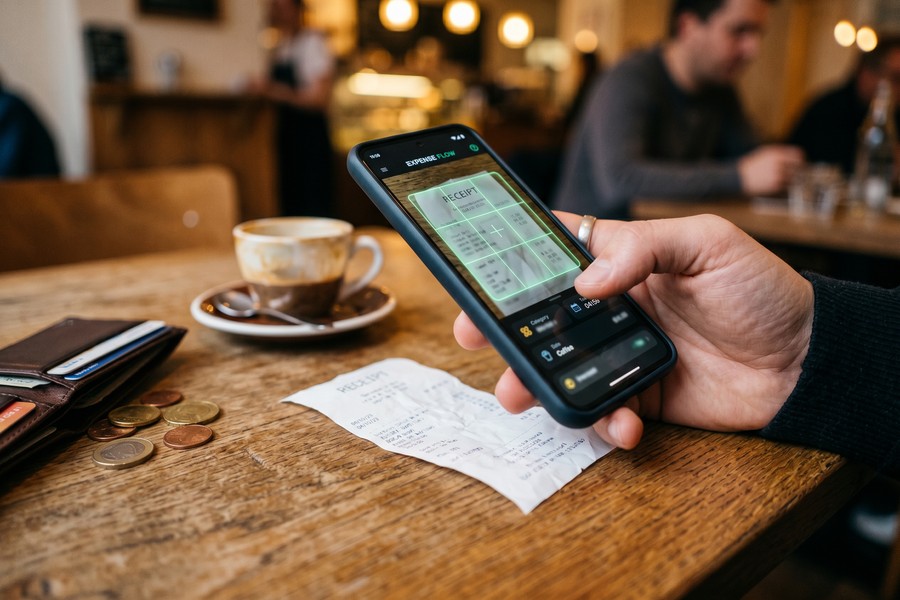
OCR technology in modern expense apps can extract data from a crumpled paper receipt photographed in dim lighting with over 92% field accuracy. This eliminates the need to manually enter vendor name, amount, date, and category.
Receipt Capture and Real-Time Sync
Most leading platforms offer a mobile app that lets you snap a photo of any receipt. The AI extracts all relevant fields in seconds. Some tools, like Expensify and Dext, also monitor your email inbox for digital receipts and pull them automatically — no action required on your part.
Real-time bank sync means your expense log is never more than a few hours behind reality. This matters enormously at tax time, but it also matters on a Tuesday when you need to know if a project is still profitable.
Top Tax Deductions Freelancers Consistently Miss
The U.S. tax code is genuinely generous to self-employed workers. The problem is that many deductions require specific documentation and awareness. AI expense trackers close the awareness gap by flagging potentially deductible transactions the moment they occur.
Understanding which deductions are most commonly missed helps you appreciate what automated tracking captures. These are not exotic loopholes — they are ordinary business expenses that millions of freelancers legitimately incur but fail to document.
Software, Subscriptions, and Digital Tools
Every subscription you use for business is deductible — Adobe Creative Cloud, Notion, Slack, Zoom, cloud storage, project management tools, and grammar checkers. Freelancers who manage subscriptions casually often lose track of which ones are business-related. A single AI expense tracker for freelancers can surface $1,200 to $2,400 in annual software deductions that were previously unclaimed.
The key is proportional use. If you use a tool 80% for business and 20% personally, 80% of the cost is deductible. AI tools can prompt you to document this split when a subscription is first categorized.
Dedicate one credit card exclusively to business expenses. Link it to your AI tracking tool. This creates a clean, auditable record and eliminates the need to sort through personal and business transactions together.
Professional Development and Education
Online courses, books, conference fees, webinar subscriptions, and professional memberships are all deductible when they maintain or improve skills in your current field. This deduction is frequently missed because purchases feel personal — “I just wanted to learn something new.” But if the course relates to your freelance work, the IRS considers it a legitimate business expense.
A freelance developer who spends $1,800 per year on Udemy courses, Stack Overflow Teams, and a developer conference registration has a real deduction. Most miss it entirely.
Health Insurance Premiums
Self-employed individuals can deduct 100% of health insurance premiums for themselves and their families — not as an itemized deduction, but as an above-the-line adjustment to income. This is one of the most valuable deductions available, yet Health Insurance.org research suggests roughly 30% of eligible self-employed filers miss it. The average freelancer paying $500 per month in premiums can deduct $6,000 annually.
| Deduction Category | Average Annual Value | % of Freelancers Claiming It |
|---|---|---|
| Home Office | $1,500 (simplified) / $3,200+ (actual) | 58% |
| Health Insurance Premiums | $6,000 | 70% |
| Software & Subscriptions | $1,800 | 54% |
| Mileage | $1,260 | 48% |
| Professional Development | $900 | 41% |
| Phone & Internet (Business %) | $840 | 46% |
Best AI Expense Tracking Tools for Freelancers in 2025
The market for AI expense tracker freelancers tools has matured rapidly. There are now purpose-built platforms for independent workers, and enterprise tools with freelancer-friendly tiers. Choosing the right one depends on your income level, tech comfort, and whether you need invoicing alongside expense tracking.
Pricing has also become competitive. The entry-level tier for most platforms now sits under $20 per month, making the ROI calculation simple: if the tool finds one missed deduction per month, it pays for itself many times over.
Purpose-Built Freelance Platforms
Tools like FreshBooks, Wave, and Bonsai combine invoicing, expense tracking, and basic tax preparation in one dashboard. They are designed specifically for self-employed workers. Wave offers a free plan with core expense tracking — rare at this quality level. FreshBooks starts at $17/month and adds mileage tracking and project profitability reports.
Bonsai stands out for creative freelancers. It includes contract templates, proposals, time tracking, and automated expense categorization. At $24/month, it eliminates the need for three or four separate tools.
AI-First Expense Tools
Expensify uses a proprietary AI called SmartScan, which processes receipts in seconds and learns merchant categories automatically. Its Concierge feature sends weekly spending summaries and flags unusual expenses. Solo plans start at $5/month. Dext (formerly Receipt Bank) is particularly strong for receipt capture, with 99% claimed accuracy on OCR extraction. It integrates natively with QuickBooks and Xero.
For tax-focused freelancers, Keeper Tax is worth serious attention. It monitors connected accounts for tax deductions 24/7 and assigns a dedicated tax professional for filing. At around $20/month, it blurs the line between a software tool and a bookkeeping service.
Keeper Tax reports that its users claim an average of $6,067 more in deductions per year compared to their previous filing method. At a 22% effective tax rate, that translates to $1,334 in tax savings annually.
| Tool | Monthly Cost | AI Categorization | Mileage Tracking | Tax Estimates |
|---|---|---|---|---|
| Keeper Tax | $20 | Yes | No | Yes |
| FreshBooks | $17–$55 | Yes | Yes | Basic |
| Expensify | $5–$18 | Yes (SmartScan) | Yes | No |
| Bonsai | $24–$49 | Yes | No | Yes |
| Wave | Free–$16 | Basic | No | No |
| Dext | $20–$60 | Yes (OCR) | No | No |
If you are weighing whether an AI tool is worth switching from a spreadsheet, our breakdown of budgeting apps versus spreadsheets covers the full trade-off in depth — including the hidden costs of manual methods.
Mileage and Travel: The Deduction Worth Thousands
Mileage is one of the most valuable — and most underclaimed — freelance deductions. The IRS standard mileage rate for 2024 is 67 cents per mile for business travel. A freelancer who drives 5,000 business miles per year has a $3,350 deduction. Most do not claim it because they do not track it.
AI mileage tracking tools solve this completely. Apps like MileIQ, Everlance, and built-in features in FreshBooks use GPS to detect when you are driving. They log start and end points, calculate miles, and let you swipe to classify trips as business or personal. The process takes two seconds per trip.
What Counts as Business Mileage
Client meetings, site visits, trips to office supply stores for business materials, driving to a co-working space, and travel between multiple job sites all qualify. Commuting from home to a regular office does not — but for most freelancers working from home, virtually every business drive qualifies.
AI tools with GPS logging produce the IRS-compliant records you need. The log should include date, destination, business purpose, and miles. Modern apps generate this report automatically and export it as a PDF or spreadsheet for your accountant.
According to MileIQ data, users who switch from manual mileage logs to automated AI tracking capture 20% more business miles on average. That gap represents roughly $670 in missed deductions annually at the 2024 IRS rate.
Travel Beyond Local Trips
Conferences, client visits in other cities, and industry events create travel deductions that include airfare, hotel, ground transportation, and 50% of meals. A single three-day conference trip might generate $1,500 to $3,000 in deductible expenses. AI expense trackers can flag these trips automatically and prompt you to document the business purpose — the one field the IRS requires.
The IRS requires that the primary purpose of travel be business-related. Mixing a conference with personal vacation days is allowed, but only the business days and directly related costs are deductible. AI tools can help you split mixed-purpose trips accurately.
Home Office and Equipment Deductions Demystified
The home office deduction intimidates many freelancers. There is a persistent myth that claiming it increases audit risk. In reality, the IRS has provided a simplified method precisely because so many self-employed workers qualify. The simplified option allows $5 per square foot of dedicated workspace, up to 300 square feet — a maximum deduction of $1,500 without any receipts.
The actual expense method yields larger deductions for those in higher-cost housing markets. You calculate the percentage of your home used exclusively for business and apply it to rent or mortgage interest, utilities, homeowner’s insurance, and repairs. A freelancer renting a $2,500/month apartment with a 12% home office square footage could claim $3,600 per year.
Equipment and Section 179
Section 179 of the tax code allows self-employed individuals to deduct the full cost of qualifying business equipment in the year of purchase, rather than depreciating it over years. In 2024, the deduction limit is $1,160,000 — far more than any freelancer will spend. A $2,500 laptop, $800 monitor, and $400 ergonomic chair purchased for business are fully deductible the year you buy them.
AI expense trackers flag high-value purchases and prompt you to confirm the business percentage. They also store purchase records digitally — critical if you face an audit years later and need to prove when and why you bought equipment.

The Phone and Internet Deduction
Your phone and internet service are partially deductible based on business use percentage. If 60% of your phone use is business-related, 60% of your monthly bill is deductible. At $100/month for a phone plan, that is $720 per year. At $80/month for internet, that is $576 at the same 60% rate — totaling nearly $1,300 in combined annual deductions.
AI tools track communication-related expenses automatically and can prompt you to set a business-use percentage annually. Some platforms link your stated percentage to recurring transactions, applying the deduction split every month without further input.
Claiming 100% business use of your personal cell phone is a common audit trigger. The IRS expects a realistic personal-use component unless you carry a separate dedicated business phone. AI tools that prompt for honest percentage splits protect you from this risk.
Using AI to Nail Your Quarterly Tax Estimates
Quarterly estimated taxes are due in April, June, September, and January. Missing a payment — or underpaying — triggers the IRS underpayment penalty. Overpaying means you gave the government an interest-free loan. The goal is accuracy, and accuracy requires real-time visibility into income and deductible expenses.
AI expense trackers increasingly include tax forecasting dashboards. These tools look at your year-to-date income, apply your deduction tracking, estimate self-employment tax, and project your quarterly liability. Some even send push notifications 30 days before each due date with the recommended payment amount.
The Safe Harbor Rule
The IRS offers a safe harbor provision: if you pay at least 100% of last year’s tax liability (or 110% if your prior-year AGI exceeded $150,000), you avoid underpayment penalties regardless of your actual current-year liability. AI tools that integrate with last year’s tax data can apply this calculation automatically, giving you a floor figure each quarter.
This is especially valuable for freelancers with volatile income — a very common situation. If a big project lands in Q3, your income spikes. AI tools recalculate your quarterly estimate immediately so you are not blindsided in January.
Connecting Expense Tracking to Tax Filing
The most powerful workflow connects your AI expense tracker directly to tax preparation software. Tools like FreshBooks, QuickBooks Self-Employed, and Keeper Tax all offer direct integration with TurboTax or H&R Block. At year-end, your categorized expenses flow into Schedule C automatically. There is no re-keying, no spreadsheet conversion, and no missed categories.
For freelancers who use a CPA, most AI platforms export an accountant-ready report — a categorized P&L statement that your CPA can import directly into their software. This alone reduces accounting fees by one to three hours at $200 to $400 per hour.
“The biggest mistake self-employed people make is treating tax season as an annual event. Your taxes are a year-round project. AI tools that give you monthly visibility completely change that equation — and the savings are real and measurable.”
If you want to go deeper on how AI financial tools compare to traditional methods overall, our analysis of AI budgeting tools versus traditional approaches provides a thorough breakdown of what the technology actually delivers.
Data Privacy and Security When Using AI Finance Tools
Connecting your bank accounts and credit cards to a third-party app raises legitimate security concerns. The data involved is sensitive — transaction history, income patterns, and spending behavior. Understanding how these platforms protect your information is essential before you sign up.
Reputable AI expense platforms use bank-grade 256-bit encryption, two-factor authentication, and read-only API connections — meaning they can see your transactions but cannot move your money. Most connect via Plaid, a regulated financial data aggregator that processes over 12 billion transactions annually and complies with SOC 2 Type II security standards.
What Data Is Collected and Why
AI categorization engines need transaction data to function. Most platforms store your data on encrypted cloud servers. The terms of service determine whether your anonymized data is used to train shared AI models — a practice that is common but worth reviewing. Platforms like Dext explicitly state they do not sell or share individual user data. Others are less clear.
Read the privacy policy before connecting sensitive accounts. Look for: data encryption in transit and at rest, a clear data deletion policy, no sale of personal financial data to third parties, and SOC 2 or ISO 27001 certification.
If data privacy is a top concern, our guide to using AI budgeting tools without sharing too much data covers specific steps to limit your exposure while still benefiting from automation.
Free AI finance tools often monetize through data partnerships. If a platform’s pricing seems too good to be true, check the privacy policy carefully. Your transaction history has significant commercial value — some platforms sell anonymized data to hedge funds and retailers.
Security Best Practices
Use a unique, strong password for your expense tracking account. Enable two-factor authentication. Regularly review connected accounts and revoke access to any you no longer use. Most platforms allow you to audit which accounts are linked and disconnect them in seconds.
Consider linking a dedicated business checking account rather than your primary personal account. This limits exposure and also keeps your business financial picture cleaner for tax purposes.
Integrating AI Expense Trackers With Your Existing Workflow
The best AI expense tracker for freelancers is one you will actually use. That means it needs to fit into how you already work — not require you to adopt an entirely new system. Integration is the key factor that separates a tool you use daily from one that collects digital dust after three weeks.
Most platforms connect to the tools freelancers already rely on: PayPal, Stripe, Venmo Business, and Square for payment processing; Google Calendar for client meeting documentation; Slack for team communication. Some even parse Slack messages to suggest expenses when a client discussion mentions purchasing something.
Accounting Software Integration
If you already use QuickBooks, Xero, or FreshBooks, choose an AI expense tool that syncs natively. Dext integrates with both QuickBooks and Xero in real time. Expensify connects to QuickBooks, Xero, Sage, and NetSuite. This eliminates double data entry entirely — expenses captured in the tracking tool appear automatically in your accounting ledger.
For freelancers who manage irregular income, pairing your expense tracker with strong budgeting tools matters too. Our guide to the best budgeting apps for freelancers with irregular income covers which platforms handle variable cash flow most effectively.
Client and Project Tagging
Advanced AI platforms allow you to tag expenses to specific clients or projects. This is invaluable for freelancers who track profitability by client. If you spend $400 on software specifically for one project, tagging it shows you exactly how much that project actually cost — and whether your rate covered it.
Project-level expense tracking also helps when billing clients for reimbursable expenses. Instead of hunting through bank statements, you generate a client expense report from your AI tool in under a minute.
Freelancers who track expenses by client report 34% higher average project profitability than those who track expenses only at the business level, according to a 2023 FreshBooks report on self-employment trends.

Automation Rules and Custom Categories
Most AI tools allow you to create rules that automatically categorize specific merchants. “Amazon” might split between office supplies and personal purchases based on keywords in the item description. “Uber” might auto-classify as business travel on weekdays and personal on weekends. These rules take 10 minutes to set up and save hours every month.
Custom categories let you align your expense tracking with how the IRS expects your Schedule C to look. Setting up categories that mirror tax form lines means your year-end export maps directly to your return — no translation required.
“Freelancers who implement automated expense tracking in January see measurably lower tax bills the following April. The correlation is not coincidental — it is causation. Visibility leads to action, and action leads to savings.”
| Integration Type | Benefit | Time Saved per Month |
|---|---|---|
| Bank/Card Sync | Automatic transaction import | 4–6 hours |
| Accounting Software | No double entry, clean ledger | 2–3 hours |
| Payment Processor Sync | Instant income recognition | 1–2 hours |
| Mileage GPS | Automatic trip logging | 1–2 hours |
| Email Receipt Scan | Zero-touch receipt capture | 1–2 hours |
Planning for retirement as a freelancer requires the same systematic approach as tax management. If you have not yet explored tax-advantaged retirement accounts, our overview of the Solo 401k for freelancers explains why it is one of the most powerful tools available to self-employed workers.
“The tax code is actually quite favorable to self-employed individuals — but only if you know what you are entitled to claim and have the documentation to support it. AI tools have democratized access to the kind of systematic expense management that used to require a full-time bookkeeper.”
Freelancers using dedicated expense tracking software file taxes an average of 3.2 weeks earlier than those using manual methods, according to a 2023 TurboTax self-employed survey. Earlier filing correlates with lower error rates and faster refunds.
| Tracking Method | Avg. Deductions Captured | Avg. Hours/Month Admin | Audit Documentation Quality |
|---|---|---|---|
| AI Expense Tracker | $14,200/year | 1.8 hours | Excellent |
| Spreadsheet (Manual) | $9,600/year | 8.5 hours | Fair |
| No Tracking | $5,100/year | 0 hours (reactive) | Poor |
| Accountant Only | $11,800/year | 3.0 hours | Good |
Real-World Example: How a Freelance Graphic Designer Saved $4,400 in One Tax Year
Maya Chen had been freelancing as a graphic designer in Austin, Texas, for four years when she sat down with a CPA for the first time in 2023. Her gross income that year was $87,000. She had filed her previous three tax returns using TurboTax and a loose collection of receipts stuffed in a folder. Her CPA discovered she had missed over $12,000 in deductions across those three years — an average of $4,000 annually — resulting in roughly $6,500 in overpaid taxes she could not recover.
Starting in January 2024, Maya switched to Keeper Tax. She connected her Chase business card, her PayPal business account, and her Venmo. She set up GPS mileage tracking through Everlance, which she had never used before. Within the first two weeks, the AI flagged $3,200 in annual software subscriptions she had been paying personally — Adobe Creative Cloud, a stock photo subscription, Dropbox, Figma, and a project management tool — none of which she had ever deducted. The mileage tracker captured 1,840 business miles in the first quarter alone: client meetings, print shop runs, and a two-day design conference in Dallas.
By the end of Q2, Maya had documented $18,400 in business expenses. Her AI tool projected her annual deductible total at $26,800 — nearly triple what she had claimed the prior year. It also calculated that she owed $4,200 in Q2 estimated taxes, down from the $6,100 she had panic-paid in Q2 the year before when she underestimated her deductions. The monthly Keeper Tax subscription cost her $240 for the year.
At tax filing in March 2025, Maya’s Schedule C showed $26,950 in total deductions on $91,000 in revenue, yielding a net profit of $64,050. Her total federal and self-employment tax liability was $16,200 — compared to an estimated $20,600 had she filed as she had in previous years. The net savings: $4,400, after subtracting the cost of the software. She now spends about 90 minutes per month on financial administration, down from an estimated 12 hours during the chaos of the prior year’s tax season.
Your Action Plan
-
Separate your business and personal finances immediately
Open a dedicated business checking account and apply for a business credit card this week. Use these exclusively for business transactions. This single step eliminates 80% of the categorization confusion that makes tax prep painful — and makes your AI tool’s job dramatically easier.
-
Choose and set up your AI expense tracker within 48 hours
Pick one platform from the comparison table above based on your primary need: Keeper Tax for maximum deduction discovery, FreshBooks for integrated invoicing, or Expensify for enterprise-grade receipt capture. Sign up, connect your business accounts, and spend 20 minutes configuring merchant categories and automation rules.
-
Enable GPS mileage tracking starting today
Download MileIQ or Everlance (or use the mileage feature in FreshBooks) and turn on automatic trip detection. You will swipe to classify each trip in under five seconds. At 67 cents per mile in 2024, every 100 miles logged is $67 in deductions. Do not let another business drive go undocumented.
-
Audit your subscriptions and tag them as business expenses
Log into your AI tracker and review the last 90 days of transactions. Identify every software, service, or membership used for business. Flag each one. Review proportional use for anything mixed-purpose (like your phone plan) and set a documented business-use percentage. This one pass typically uncovers $500 to $2,500 in missed deductions.
-
Calculate and claim your home office deduction
Measure your dedicated workspace in square feet. If it is under 300 square feet, use the simplified method ($5 per square foot). If larger, calculate the percentage of your home it represents and apply it to your annual housing costs. Document this with photos and a floor plan sketch. Set a reminder to update it if you move.
-
Set up quarterly tax reminders using your AI tool’s forecast feature
Enable tax liability forecasting in your chosen platform. Review your projected quarterly payment 45 days before each due date (mid-March, mid-May, mid-August, mid-November). Pay based on the AI’s recommendation or the safe harbor amount — whichever is lower. This eliminates underpayment penalties.
-
Connect your expense tracker to your accounting software and tax prep tool
Set up the native integration between your AI tracker and QuickBooks, Xero, or your tax software of choice. Test the sync by reviewing how three recent transactions appear in both systems. Fix any category mismatches now — not in April. If you use a CPA, ask them which export format they prefer and configure it today.
-
Review your deduction report monthly — not just annually
Schedule a 30-minute monthly “money meeting” with yourself. Review your AI expense report, confirm categorizations, add any missing receipts, and note your running deduction total. This habit keeps your records audit-ready year-round and gives you accurate quarterly tax estimates without stress.
Frequently Asked Questions
Is an AI expense tracker safe to use with my bank accounts?
Yes, provided you choose a reputable platform. Most connect through Plaid, which uses read-only API access — the tool can see your transactions but cannot initiate transfers or payments. Look for platforms with SOC 2 Type II certification, 256-bit encryption, and two-factor authentication. The financial data risk is real but manageable with the right tools.
How much can I realistically save using an AI expense tracker?
Results vary by income level and prior tracking habits. Freelancers switching from no tracking to AI tools typically see $2,000 to $6,000 more in documented deductions in year one. At a 22% effective tax rate plus 15.3% self-employment tax on the deductible base, each additional $1,000 in legitimate deductions can reduce your tax bill by $100 to $250 depending on your bracket.
Do I still need an accountant if I use an AI expense tracker?
AI tools handle categorization, receipt capture, and basic tax estimates very well. They do not replace professional judgment on complex situations: S-corp election decisions, multi-state income, retirement account optimization, or audit representation. Many freelancers find the ideal setup is an AI tool for daily tracking paired with an annual CPA review, which typically costs $300 to $800 and is itself tax-deductible.
Can the IRS audit me based on deductions flagged by an AI tool?
The IRS audits based on statistical anomalies in tax returns — not on how you tracked your expenses. Claiming legitimate deductions with proper documentation does not increase audit risk. In fact, AI tools reduce audit risk by maintaining contemporaneous, detailed records that are difficult to challenge. The risk comes from claiming inflated or unsupported deductions, which good AI tools discourage by prompting for documentation.
What is the best AI expense tracker for someone just starting out freelancing?
For new freelancers, Wave’s free tier is an excellent starting point. It offers bank sync, basic AI categorization, invoicing, and receipt capture at no cost. Once your income exceeds roughly $50,000 annually, consider upgrading to Keeper Tax or FreshBooks for more advanced tax forecasting and deduction discovery. The marginal cost pays for itself quickly at higher income levels.
Can I use an AI expense tracker if my income comes from multiple platforms — Upwork, Fiverr, and direct clients?
Yes. Most AI expense trackers connect to multiple payment processors simultaneously: PayPal, Stripe, Venmo Business, and direct bank transfers. Income from Upwork and Fiverr typically hits your PayPal or bank account, which the AI tracker logs automatically. The key is to connect all accounts — not just one — so the tool sees your complete financial picture.
How does AI expense tracking help with the self-employment tax specifically?
Self-employment tax is calculated on net earnings — revenue minus deductible business expenses. Every dollar of legitimate deduction reduces the base on which the 15.3% self-employment tax is calculated. On $10,000 in additional deductions, that is $1,530 in self-employment tax savings alone, before income tax savings. AI tools that maximize deduction discovery directly reduce your SE tax liability.
What happens if the AI miscategorizes an expense?
Miscategorization is a normal part of AI learning. Most platforms give you a simple one-tap correction interface. The AI notes your correction and applies it to future similar transactions. The practical risk is reviewing your categorizations monthly rather than only at tax time — which the monthly review habit in the action plan above addresses. Miscategorization that goes unreviewed for a full year is the real risk.
Are the costs of AI expense tracking tools themselves deductible?
Yes. Business software subscriptions are fully deductible as a business expense on Schedule C. The $20 to $60 per month you spend on an AI expense tracker is itself a tax deduction. At a combined effective rate of 35%, a $240 annual subscription has a net after-tax cost of approximately $156.
Should I use AI expense tracking alongside a budgeting app, or does one replace the other?
They serve different functions. Expense trackers focus on capturing and categorizing past transactions for tax purposes. Budgeting apps focus on planning and constraining future spending. Many freelancers benefit from both. If you want to understand how these tools overlap and where each falls short, our piece on micro-budgeting strategies for optimizing every dollar explores how to combine multiple financial tools effectively.
Sources
- IRS.gov — Self-Employed Individuals Tax Center
- Upwork — Freelance Forward 2023 Report
- SCORE — Small Business Finance Statistics
- IRS.gov — Tax Topic 509: Business Use of Home
- IRS.gov — Tax Topic 510: Business Use of Car
- HealthInsurance.org — Health Insurance for Self-Employed Individuals
- IRS.gov — 2024 Standard Mileage Rates Announcement
- IRS Publication 946 — How to Depreciate Property (Section 179)
- Plaid — Privacy Policy and Security Standards
- National Association of Tax Professionals — Industry Research
- National Association of Enrolled Agents — Taxpayer Resources
- QuickBooks — Self-Employed Tax Deductions Guide
- FreshBooks — Self-Employment Research and Resources
- IRS.gov — Understanding the Self-Employment Tax
- Keeper Tax — Comprehensive Freelancer Tax Guide