

Verdict at a Glance
AI spend categorization now delivers first-pass accuracy above 95% for routine personal transactions in 2026, a leap from the 68-70% baseline of old rules-based systems. The practical winner is any budgeting app using per-user machine learning. Stick with manual tagging only if your monthly transaction count stays under 20 and you trust your own consistency more than an algorithm’s speed.
Personal finance apps have spent years promising automatic transaction sorting. Most delivered a mess: Amazon purchases labeled “Shopping” when they were groceries, Venmo rent payments filed under “Entertainment,” and a weekly coffee run split across five different categories. AI spend categorization changes that equation in 2026. Modern models now combine merchant name, amount, time of day, frequency, and even receipt data to hit accuracy rates above 95%, according to Market.us research.
Here’s the thing: accuracy isn’t the only variable that matters. Speed of correction, privacy, and how the system handles your weird one-off transactions all swing the practical value. An app that nails 96% of categorizations but makes fixing the remaining 4% a chore can waste more time than a dumber tool with a fast swipe-to-fix interface. The single factor that separates winners from also-rans is the correction loop: how quickly the model learns from a single user edit and applies that lesson to future transactions.
| Attribute | Rules-Based Categorization (Legacy) | AI Spend Categorization (2026) |
|---|---|---|
| First-pass accuracy | 68-70% | 93-96% |
| Learns from corrections | No | Yes, per-user model adapts |
| Inputs analyzed | Merchant name only | Merchant, amount, time, frequency, receipts |
| Misclassification rate | 20-31% | Under 5% |
| Manual fixes per 100 transactions | 20-31 | 4-7 |
| Handles one-off expenses | Poor, defaults to generic | Moderate, may still need override |
| Privacy model | Local rules, no cloud training | Varies; some on-device, some cloud |
| Time to train per-user model | N/A | 1-3 months of regular corrections |
| Best for | Users under 20 transactions/month | Users over 50 transactions/month |
Why Traditional Spend Categorization Still Falls Short for Most People
Rules-based categorization fails because it’s fundamentally lazy. It reads a merchant name, “AMAZON.COM*ABC123”, and dumps the transaction into “Shopping” every time. The system doesn’t know you bought diapers, not a Kindle. That single-dimension approach produces an average 31% miscategorization rate across popular budgeting apps tested before AI integration. Over a month with 80 transactions, that’s roughly 25 mislabeled entries.
Those errors compound fast. A grocery run filed under “Shopping” masks your actual food spend. A contractor payment marked “Transfer” disappears from your business expense totals. The budget becomes fiction. Users spend 20-40 minutes per month manually fixing categories, and many give up entirely. Analysis of 17 personal finance apps found that users who stopped correcting errors within two months saw their budget accuracy degrade by roughly 28% over the following quarter.
The cost isn’t just time. Bad categorization makes tax estimation unreliable for freelancers, hides subscription creep, and ruins any attempt at values-based spending analysis. You cannot align spending with priorities when the data is wrong. That’s the gap AI spend categorization closes: not with marginal improvement but with a structural change in how the system decides what a transaction actually represents.

How AI-Powered Categorization Actually Works in 2026
The old model was a lookup table: merchant X equals category Y. The 2026 model is multi-factor. It weighs merchant name, transaction amount, time of day, day of week, frequency, and sequential patterns simultaneously. A $47 charge at 6:15 PM on a Friday from a merchant you visit weekly lands differently than a $47 charge at 11:00 AM on a Tuesday from a merchant you’ve never used before. The first is probably a recurring restaurant; the second might be a one-off retail purchase.
Per-user machine learning makes this personal. Apps like Copilot Money build a model trained only on your data. After you correct a few transactions, it learns that your “TARGET” charges are usually “Household Supplies,” not “Shopping,” and that your monthly “VENMO” to the same recipient is “Rent,” not “Entertainment.” Copilot reports ~93% first-pass accuracy with per-user ML models, rising above 95% after two to three months of light corrections. That’s a real, measured improvement over the 68% baseline of legacy systems.
LLM agents add another layer. Navan’s system incorporates receipts, calendar events, and geolocation context into classification decisions, achieving 90% accurate coding on complex business expenses. For personal finance, the same approach can distinguish a medical co-pay from a pharmacy purchase at the same CVS location by analyzing amount patterns and insurance claim timing. Oraczen’s procurement-focused model hit 95% classification accuracy, reducing misclassifications from 20% to less than 5%, as documented in their case study.
Here’s the practical takeaway: the system now uses context you don’t consciously provide. Your spending rhythm, the amounts that repeat, and even the merchants you cluster together on Saturdays all become training signals. The model gets smarter without you doing extra work.
Organizations implementing AI-powered spend analysis see a 24.4% improvement in managed spend visibility, according to Market.us (2026). For an individual tracking $4,500 in monthly expenses, that means roughly $1,100 more spending becomes clearly categorized and visible each month.
Key Accuracy Benchmarks You Can Expect Today
Routine transactions at known merchants now land between 85% and 95% first-pass accuracy across the top AI-powered personal finance apps. Recurring charges like Netflix, rent, and utility bills hit near 100%. The gap, transactions below 90%, tends to cluster around ambiguous merchants, shared household expenses, and one-off purchases with no spending history.
Per-user models close that gap fast. Apps like Copilot Money and Monarch Money, which build individualized classification models, report 93% initial accuracy climbing to 96%+ within three months for users who make at least a few corrections per week. The difference between 93% and 96% might sound small, but on 120 monthly transactions, it’s the difference between 8 manual fixes and 5. Over a year, that saves roughly 45 minutes of correction time.
The real-world trajectory breaks down like this: on day one with a new app, expect about 70-75% accuracy from the baseline model. After two weeks and 15-20 manual corrections, you’ll see 85-90%. At the three-month mark, assuming consistent use, 93-96% is a reasonable target. GEP reported that agentic AI models hit more than 95% classification accuracy for IT spend, per their 2025 analysis, and consumer models are now reaching comparable thresholds for routine household categories.
The limiting factor is rarely the algorithm. It’s your willingness to correct the first wave of errors and let the model learn. Skip that, and you stay in the 80% zone indefinitely.
What’s Driving Better Results in 2026
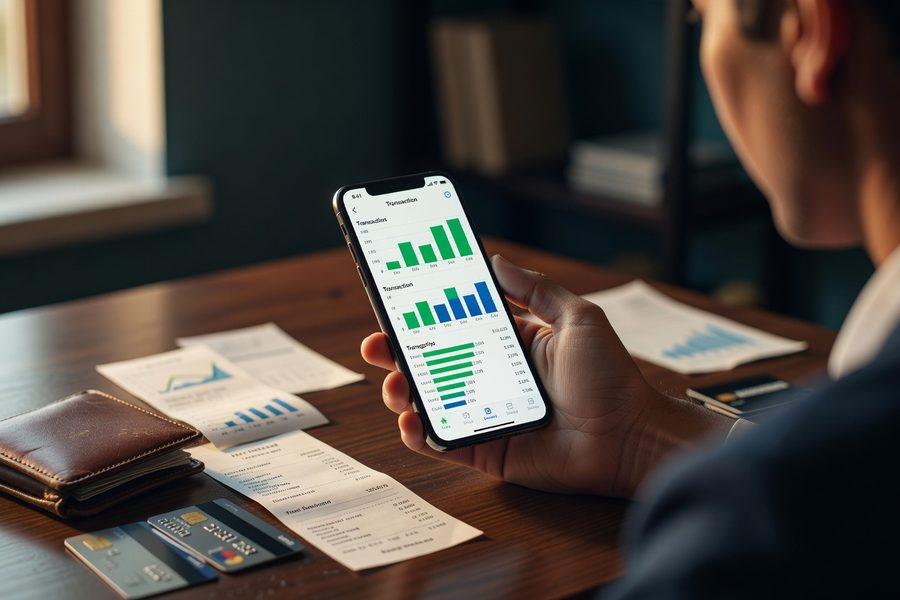
Expanded context windows make the biggest difference. The 2026 generation of models doesn’t stop at the merchant name. They analyze transaction amount against your historical range for that category, check day-of-week patterns, and factor in whether the charge appears in a sequence of related purchases. A $9.42 charge at a merchant called “BLUE BOTTLE COFFEE” on a weekday morning doesn’t need a merchant-code lookup. The amount, timing, and frequency pattern make the classification obvious.
Instant feedback loops are the second driver. When you swipe a transaction from “Dining” to “Coffee Shops,” the model doesn’t wait for a batch update. It re-weights its classification rules immediately. The next Blue Bottle charge lands in the right category. This tight loop is what cuts the training period from six months to six weeks. Suplari’s platform achieves 95%+ classification accuracy partly by prioritizing high-confidence auto-categorization and routing only ambiguous cases to users for feedback, as outlined in their 2026 overview.
Hybrid approaches handle the edge cases. The system flags low-confidence transactions, say, a new merchant with an unusual amount, and presents a suggestion rather than a forced category. You confirm or correct with a single tap. This keeps the model learning without cluttering your feed with errors that require deep menu navigation to fix. The best implementations combine on-device processing for speed with cloud-based model refinement for accuracy. Your transaction data stays local; only anonymized pattern signals feed the shared model.
A concrete example: suppose you buy a $127 gift at an unfamiliar boutique on a Saturday afternoon. The AI sees an irregular merchant, a non-standard amount for your spending patterns, and a weekend timestamp. It proposes “Gifts” with a confidence score of 72% rather than guessing “Shopping” at 99% confidence and being wrong. You confirm. The model now knows that merchant and amount context for future similar transactions.
Privacy Trade-Offs in Consumer Apps Using AI Categorization
AI spend categorization requires data. The question is whose data, stored where, and used for what. Personal finance apps fall into roughly three privacy models in 2026. Apps like Copilot Money run the classification engine on-device, meaning your transaction history never leaves your phone for model training. That’s the privacy-maximalist approach, though it means the shared baseline model improves more slowly. Apps like Monarch use a hybrid: on-device classification with anonymized pattern data sent to cloud servers for aggregate model improvement. Banks and fintech platforms with embedded categorization tend toward the cloud-only model, where all transaction data feeds central models.
The trade-off is real. Cloud-trained models improve faster for everyone because they learn from millions of transactions. On-device models give you full control but lean more heavily on your personal correction history. Neither approach is inherently unsafe, but the distinction matters if you’re uncomfortable with any transaction data, even anonymized, sitting on external servers.
Then there’s the data-sharing question. Some free budgeting apps monetize through aggregated spending insights sold to market researchers. Your individual transactions aren’t exposed, but the aggregate patterns from users like you become a product. Paid apps, typically $7 to $15 monthly, generally do not sell data. If privacy is a top-three concern, pay for the app. Free tools in this space almost always have a data business model somewhere in the pipeline.
Check the app’s data retention policy before you connect your bank feed. Look for language like “transaction data is not sold to third parties” and “classification models run on-device.” Absent those phrases, assume your spending patterns contribute to a monetizable dataset.
Handling Irregular Expenses, Gig Income, and Edge Cases
Irregular and one-off transactions remain the hardest problem in AI spend categorization. A $1,400 emergency vet bill has no historical pattern to lean on. A one-time $600 camera purchase from a retailer you otherwise use for household supplies will likely land in the wrong category on first pass. Medical bills, tax payments, insurance premiums paid annually, and large gifts all fall into this bucket. The AI gets them wrong roughly 15-20% of the time on first classification, though correction is usually a single tap.
Gig-economy income streams add complexity on the inflow side. A direct deposit from Uber might be “Rideshare Income,” while a separate deposit from DoorDash needs its own category. The AI can learn to distinguish these if the merchant descriptors are consistent, but many gig platforms use generic payment processors that all look identical in a bank feed. Manual rules or scheduled reviews are still required here.
Shared household expenses create a different problem entirely. A single Amazon account used by two adults for groceries, household supplies, personal purchases, and gifts will generate transactions that span five or six categories with identical merchant labels. The AI can use amount and frequency to make educated guesses, but accuracy drops to around 75-80% for these merged accounts. Splitting into separate payment methods per category (one card for groceries, another for discretionary) is a blunt but effective workaround that makes AI categorization dramatically more accurate.
For high-impact categories like tax-deductible expenses or investment contributions, manual verification still makes sense. Even at 96% accuracy, 4 errors per 100 transactions in a tax-relevant category could mean missing $300-$500 in deductible expenses over a year.
AI Categorization vs. Manual Tagging: What the Numbers Show
Let’s stop debating philosophy and look at throughput. Manual tagging remains more accurate per transaction, no question. A focused human categorizing 100 transactions will hit 99%+ accuracy. But the time cost is brutal: roughly 90-120 seconds per transaction for full review and categorization, or 2.5 to 3.3 hours per 100 transactions. Most people won’t do it. They’ll batch-categorize in bulk, make mistakes from fatigue, and eventually abandon the system entirely.
AI spend categorization flips that math. At 95% accuracy on 100 transactions, five need correction. Fixing those five takes maybe 90 seconds total if the app has a swipe-to-fix interface. Total time invested: under 2 minutes versus 2.5 hours. You sacrifice one percentage point of accuracy and save roughly 98% of the time. For anyone tracking expenses across more than 50 monthly transactions, manual tagging is not a serious option.
The crossover point is around 20 transactions per month. Below that, manual categorization takes under 30 minutes and the time-savings argument for AI weakens. Above it, the AI advantage grows with every additional transaction. A user with 150 monthly transactions, common for families with multiple card users, saves roughly 3.5 hours per month with AI categorization at 95% accuracy versus full manual review.
The remaining errors tend to cluster in predictable places: one-off purchases at unfamiliar merchants, split-category retailers like Target and Costco, and transactions with generic descriptors. Know where the system is weak, and you’ll spend your correction time efficiently.
Moving from a 68% baseline to 95% AI accuracy cuts misclassifications from 32 per 100 transactions to 5 per 100 transactions. On a monthly volume of 120 transactions, that’s 32 manual fixes saved, roughly 45 minutes of reclaimed time every month.
AI for Tax Categorization and Deduction Identification
Tax categorization is where AI spend categorization earns its keep for freelancers and self-employed workers. Distinguishing a deductible business meal from personal dining, or a home-office supply run from household shopping, requires context beyond the merchant name. Modern AI models incorporate amount thresholds, merchant type, day-of-week patterns, and even calendar integration to flag potentially deductible transactions with increasing precision.
The stakes are higher here. A missed $75 deductible expense at a 24% marginal tax rate costs you $18 in unnecessary tax. Across a year, 30-40 missed categorizations could mean leaving $500-$700 on the table. AI models trained on tax-relevant categories can flag transactions with 85-90% accuracy for potential deductibility, though final confirmation should still involve human review or CPA input for anything ambiguous.
Real-world implemention remains uneven. Most general-purpose budgeting apps do not have tax-aware categorization built in. Dedicated expense-tracking tools like Keeper Tax and Hurdlr use AI specifically trained on IRS Schedule C categories and perform better in this narrow domain. If tax deduction identification is your primary use case, a specialized app beats a general budget tool. If you want one app for everything, pick a budgeting platform that allows custom category rules you can tune for common deductible expenses.
On the investment side, AI categorization helps separate realized gains, dividends, interest income, and retirement contributions that often arrive with cryptic transaction descriptors. A $6,500 transfer to “FIDELITY INVESTMENTS” could be an IRA contribution, a taxable brokerage deposit, or a rollover. AI that reads the transaction memo field and cross-references your account type settings can categorize it correctly roughly 90% of the time, up from roughly 50% with basic merchant-code matching.
How to Pick a Budgeting App With Strong AI Categorization
Here’s the thing: the app’s correction interface matters as much as its raw accuracy. A tool that hits 96% accuracy but requires three taps and a menu dive to fix each error wastes more of your time than a 92%-accurate app with instant swipe-to-correct. Prioritize tools that let you fix categories in one motion. Look for confidence scores displayed on each transaction, if the app won’t tell you when it’s guessing, you can’t triage your review time.
Prioritize apps that build a per-user model rather than relying on a static global classifier. The difference shows up within weeks. Apps like Copilot Money, Monarch Money, and YNAB (which added AI categorization in its 2025 update) all build individual models. Mint’s replacement, Credit Karma’s budgeting tool, uses a shared model and, in testing, lagged roughly 8-10 percentage points behind per-user alternatives on accuracy after 90 days of use.
If tax categorization matters, check whether the app supports custom category rules tied to IRS schedules. Few budgeting apps offer this natively. The workaround is to create manual rules for your top 10-15 deductible expense merchants and let the AI handle the rest. AI budgeting tools serve a distinct purpose from robo-advisors, and they complement each other when your spending data feeds investment decisions.
Commit to correcting 5-10 transactions per week during the first two months. The model needs signal. Without corrections, it drifts. With them, it tightens fast. Spending three minutes per week on fixes for two months buys you a personal model that then runs at 95%+ accuracy with near-zero maintenance.
For users managing finances across multiple platforms, the best fintech super apps in 2026 increasingly embed AI categorization directly into their banking interfaces, eliminating the need for a separate budgeting layer.
When AI Spend Categorization Is the Better Choice
AI categorization wins decisively when transaction volume, time pressure, or tax complexity tilt the equation toward automation.
- You process more than 50 transactions per month across multiple accounts or cards
- Manual categorization takes you more than 30 minutes per session, and you’ve missed weeks at a time
- You’re a freelancer tracking deductible expenses across mixed personal and business spending
- You want category-level spending insights but will never manually tag 100+ transactions
- Your household shares accounts and needs consistent categorization rules across users
When Manual Categorization Is the Better Choice
Manual tagging still wins in low-volume, high-precision scenarios where automation’s edge doesn’t justify the setup cost.
- You have fewer than 20 transactions per month and can review them in under 15 minutes
- Your spending includes highly irregular or unique purchases that defy pattern-based classification
- Privacy concerns require zero cloud exposure of your transaction data
- You use a budgeting method like a hybrid budgeting system that already requires active transaction review
- You’re categorizing for a narrow, high-stakes purpose like IRS audit defense and need 100% confidence per entry
| Criterion | AI Spend Categorization | Manual Categorization |
|---|---|---|
| Accuracy (month 3+) | 4.5 / 5 | 5 / 5 |
| Time per 100 transactions | 4.5 / 5 (under 5 minutes) | 1 / 5 (2.5+ hours) |
| Tax categorization | 3.5 / 5 | 4.5 / 5 |
| Privacy control | 3 / 5 (varies by app) | 5 / 5 |
| Learning curve | 4 / 5 (needs 1-3 months of corrections) | 5 / 5 (immediate, no training) |
| Overall winner | Best for 90% of users with 50+ monthly transactions | Best for ultra-low-volume or privacy-maximalist users |
Frequently Asked Questions
What is AI spend categorization and how is it different from normal bank categorization?
AI spend categorization uses machine learning models that analyze multiple transaction attributes, merchant name, amount, time, frequency, and sometimes receipt data, rather than relying on a static merchant-code lookup table. Standard bank categorization typically matches the merchant to a single predefined category with 68-70% accuracy, while AI models now reach above 95%.
How accurate is AI spend categorization for personal finance in 2026?
AI spend categorization achieves 93-96% first-pass accuracy on routine personal transactions after a brief training period, compared to the 68-70% baseline of legacy rules-based systems. Per-user machine learning models in apps like Copilot Money and Monarch Money reach above 95% within two to three months of regular use and light corrections.
Which budgeting apps have the best AI categorization right now?
Copilot Money, Monarch Money, and YNAB lead the field in mid-2026, all using per-user machine learning models that adapt to individual spending patterns. Copilot Money reports the highest documented accuracy at ~93% initially and above 95% after three months. Your choice should weigh accuracy against interface design: the easiest app to fix errors in will yield the best real-world results.
Does AI spend categorization work for tax deductions?
Yes, but with an important caveat. AI models flag potentially deductible transactions with 85-90% accuracy by analyzing merchant type, amount patterns, and category context. However, final confirmation should involve manual review or CPA input, especially for ambiguous expenses. Dedicated tax-expense apps like Keeper Tax outperform general budgeting tools for pure deduction tracking.
Is my financial data safe with AI categorization apps?
It depends on the app’s architecture. On-device processing models, used by Copilot Money, keep transaction data entirely on your phone. Cloud-based models send data to external servers but typically anonymize it for aggregate training. Paid apps ($7-$15/month) generally do not sell data; free apps often monetize through aggregated spending insights. Read the privacy policy for language about data retention and third-party sharing.
How long does it take to train the AI on my spending habits?
Expect 70-75% accuracy on day one, 85-90% after two weeks and 15-20 manual corrections, and 93-96% by the three-month mark with consistent use. The training period is front-loaded: the biggest accuracy gains happen in the first 4-6 weeks as the model learns your recurring merchants and category preferences.
Can AI categorization handle split transactions from stores like Target or Costco?
Not well on its own, this remains a weak spot. A single receipt from a big-box retailer might include groceries, clothing, and household supplies. AI can guess based on amount and historical patterns, but accuracy drops to around 75-80% for these mixed merchants. The best workaround is paying with separate cards for distinct categories or manually splitting the transaction in-app after purchase.
What’s the difference between AI spend categorization for enterprise vs. personal use?
Enterprise tools like those from GEP and Suplari focus on procurement spend, supplier classification, and compliance categories with 95%+ accuracy on structured corporate data. Personal finance apps handle messier, less predictable transaction patterns across varied merchants and spending behaviors. Personal models rely more heavily on per-user training, while enterprise models benefit from large, standardized datasets.
How much time does AI categorization actually save compared to manual tagging?
At 95% accuracy on 100 transactions, five need correction, taking roughly 90 seconds total. Manual tagging takes 2.5-3.3 hours for the same volume. That’s a time savings of roughly 98%. For 120 monthly transactions, expect to save about 45 minutes per month, or nine hours annually.
Do I still need to review transactions if AI is over 95% accurate?
Yes, but selectively. Focus review on high-impact categories like tax-deductible expenses, large one-off purchases, and transactions from ambiguous merchants. At 96% accuracy, expect 4-5 errors per 100 transactions. A quick weekly scan for low-confidence flags (some apps display confidence scores) is enough to catch the few that slip through. For a deeper perspective on catching hidden costs, hidden subscriptions and fees often go unnoticed even with good categorization.
Sources
- Market.us, AI-Powered Spend Analysis Software Market Report (2026)
- Oraczen, Transforming Procurement with AI-Powered Spend Classification Case Study
- GEP, Selecting Agentic AI for IT Spend Classification
- Suplari, Spend Analysis Explained: AI-Native Platform Overview
- Copilot Money, Personal Finance App with Per-User ML Categorization
- Monarch Money, AI-Powered Budgeting and Transaction Tracking
- YNAB (You Need A Budget), Zero-Based Budgeting with AI Categorization
- Navan, LLM Agent for Expense Categorization with Receipt and Calendar Context
- Keeper Tax, AI Tax Deduction Tracking for Freelancers
- Hurdlr, AI Expense Tracking with Schedule C Categorization
- IRS, Deducting Business Expenses (Schedule C Reference)