

Quick Answer
For most military families, YNAB is the best budgeting app for military family budgeting because its zero-based method handles irregular pay cycles and deployment pay changes while funding specific PCS expense goals. PocketGuard is better if you rely on BAH and BAS to stay cash-flow positive. EveryDollar works well for couples who want simple envelope-style shared planning.
How We Chose
We evaluated 15 budgeting apps and methods against five criteria that matter most for military family budgeting: ability to handle irregular income, support for multiple account types (including BAH and BAS categorization), cost, ease of sharing a budget between spouses during separations, and availability of free financial counseling integration. We consulted Military OneSource recommendations, DoD personal financial counselor feedback, and recent Military Family Advisory Network survey data. All pricing and feature claims were verified against each provider’s public documentation in June 2026.
More than one-third of currently serving military families had less than $500 in emergency savings or no fund at all in 2025, according to the Military Family Advisory Network. When every PCS move costs families an average of $1,900 out-of-pocket after reimbursements, as Military.com reported, the math is brutal. The primary goal of military family budgeting today isn’t simply tracking expenses, it’s building a financial system that survives repeated moves, single-income deployment stretches, and the hidden costs that civilian budgets never face.
We gave the most weight to one criterion: how well a tool or method keeps cash flow predictable during the 90 days before, through, and after a PCS or deployment. A decent app that fails you during those 12 weeks is not worth downloading.
| App | Best For | Starting Price |
|---|---|---|
| YNAB | Zero-based budgeting for irregular military pay | $14.99/month |
| EveryDollar | Simple envelope budgeting for couples | Free |
| Goodbudget | Classic envelope system with shared access | Free |
| PocketGuard | Cash flow tracking for BAH/BAS reliance | Free |
| Mint | Free all-in-one financial snapshot | Free |
The Real Financial Strain of Military Life Cycles
A PCS move doesn’t cost $1,900, it costs $1,900 after the government’s reimbursement lands. Before that, you float deposits, hotel stays, pet boarding, and storage fees on your own credit. 60% of active-duty families who PCS’d in 2023 reported more than $1,000 out of pocket before reimbursement, per MFAN data. That number has climbed every year.
When a deployment overlaps with a move, or a spouse loses income due to relocation, the double hit can wipe out savings in a single quarter. Standard civilian budgets assume stable income. Military pay shifts with BAH rate changes, BAS adjustments, and family separation allowance phases. A budget that doesn’t actively recalculate those variables fails before the first moving box is packed.
Building a Core Budget Around Military Pay and Allowances
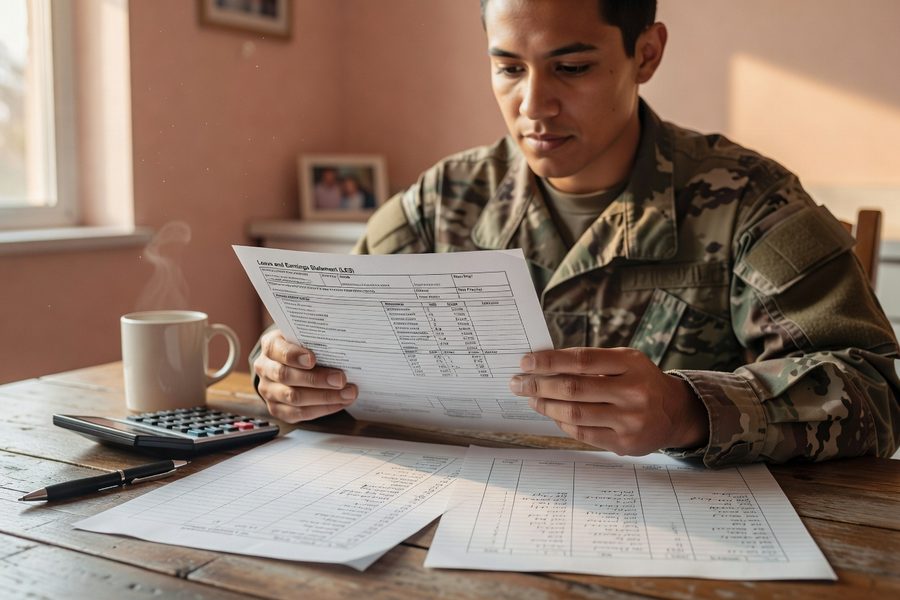
1. List every pay source, not just base pay. Combine LES line items: basic pay, BAH, BAS, COLA, family separation pay, and any special duty pays. Ignore none of them.
2. Assign each to a fixed or variable category. BAH goes straight to housing; it should never fund groceries.
3. Reconcile monthly with actual YTD totals from MyPay. An error of $200 per month in expected BAH compounds fast during a move.
Military spouse income creates the biggest planning gap. If one parent must leave a job every two to three years, building wealth as a stay-at-home spouse while maintaining a workable budget means the household runs on three-legged stool math: service member pay + spouse income + allowances, and when one leg disappears, the budget must pre-plan that drop.
Pre-PCS Budgeting: Plan 30–90 Days Ahead
1. Open a separate PCS fund 60 days before orders. Fund it with the $1,900 average out-of-pocket cost as a minimum target.
2. Research BAH rates at the new location via the Defense Travel Management Office site. Compare housing costs: if BAH covers 95% of the median rent, you must fill the gap yourself.
3. Identify non-reimbursable expenses: pet relocation, utility deposits, stock-up grocery trips, and short-term storage for items that won’t fit in temporary lodging. These are the budget killers.
4. Budget for temporary lodging costs that exceed per diem; Military OneSource notes that families routinely absorb the difference.
Military OneSource recommends building a PCS budget that accounts for deposits, travel, hotels, food, and storage costs and identifying reimbursable expenses through the Defense Travel Management Office. Use that checklist as a template, then add 15% for the unexpected.
Managing Cash Flow During the Actual PCS Transition
This period lasts about two weeks to a month: you pay two sets of utility bills, you eat meals on the road, and you wait for the travel claim to process. If you choose a personally procured move, the 2026 PPM rates are roughly 40–50% lower than many families expect based on old reimbursements, according to multiple media reports. That gap must be funded by your PCS savings, not by credit cards.
A practical move: pause any subscription that won’t be used during the transition, and automate bill pay for the essentials to avoid a missed payment while you are in transit. Your app should flag spending in real time so you don’t exceed the PCS fund.
Adapting Your Budget for Deployments
1. Create a “deployment version” of the budget that removes the service member’s discretionary spending and adds any predicted extra childcare or home maintenance costs.
2. Factor in tax-advantaged pay: Combat Zone Tax Exclusion and Family Separation Allowance can increase net take-home pay by $250–$500 per month depending on rank and dependents. Plan those funds toward debt payoff or emergency savings, not lifestyle inflation.
3. Use an app that lets you share read-only access with your spouse. EveryDollar or Goodbudget both allow partner syncing, so the at-home spouse can see category limits without being able to accidentally delete the plan.
Military OneSource explicitly suggests pausing unused services, automating payments, and protecting credit before departure for deployment budgeting. Those steps reduce the mental load on the spouse managing everything solo.
Building Resilience: Emergency Funds and Navigating 2026 Policy Changes
Aim for three to six months of essential expenses in an emergency fund, aiming higher if a deployment and PCS are both foreseeable within 12 months. Overlap risk is real: a late-2025 MFAN survey found that more than a third of families have no fund at all. Overlapping stressors, like a PCS coinciding with a deployment, crater credit scores when no buffer exists.
DoD’s plan to cut discretionary PCS moves by 10% starting FY2027, with a 50% target by FY2030, means families will face more moves funded partially out of pocket. Military OneSource financial counselors can help you model these future costs now. Incorporating future reduced move allowances into your emergency fund target makes it a buffer, not a surprise.

The Best Budgeting Apps for Military Families
YNAB, Best for Zero-Based Budgeting for Irregular Military Pay
YNAB forces you to assign every dollar of current income to a specific job before the month begins, which eliminates the guesswork when BAH changes or deployment pay starts mid-cycle. It is the most effective tool for military family budgeting because it syncs multiple accounts and lets you create custom categories for BAH, BAS, and reimbursement funds.
Key numbers: $14.99/month or $99/year, with a 34-day free trial. Syncs with most military banks (USAA, Navy Federal). Allows unlimited custom categories and goals for PCS funds or emergency savings. Funding-speed visibility shows exactly which categories are underfunded, a lifesaver during PCS cash-flow gaps. YNAB pricing page confirms these costs.
- Best for: Families who need to plan for variable pay months and want every dollar allocated proactively.
- Best for: Couples willing to learn a hands-on system that forces mindful spending trade-offs.
- Best for: Anyone who has failed with passive budget trackers; YNAB’s methodology changes behavior.
Watch out for: The learning curve is real; plan on a week of evening setup to get comfortable, and the subscription cost is higher than the free alternatives.
EveryDollar, Best for Simple Envelope Budgeting for Couples
EveryDollar uses a clean zero-based envelope approach, and the free version lets you manually enter transactions, which works well for couples who want to share a budget without the distraction of automatic syncing. The paid Plus version adds automatic bank connections and custom category reports.
Key numbers: Free for the manual version; $12.99/month or $79.99/year for Plus with bank sync. Unlimited envelopes. Built-in goal tracking for emergency fund and debt snowball. EveryDollar pricing verifies the tiers.
- Best for: Military couples who prefer a shared budget without complex features, especially during deployment separations.
- Best for: Those following Dave Ramsey’s Baby Steps, where budget accountability is central.
- Best for: Service members who want a spouse to see category balances without needing to learn a full accounting system.
Watch out for: The free manual-entry version is tedious if you have multiple accounts; bank syncing requires the paid tier.
Goodbudget, Best for Classic Envelope System with Shared Access
Goodbudget digitizes the physical envelope method: you allocate fixed amounts to digital envelopes and track spending against those limits. It supports shared envelopes between partners, so both spouses see the same real-time balances, ideal when one is deployed and the other manages daily spending.
Key numbers: Free for 10 envelopes and one account; $8/month for unlimited envelopes and multiple accounts. Sync works across devices without bank account linking. Goodbudget plans confirm these details.
- Best for: Families who want a highly visual, limit-driven system without linking sensitive financial accounts.
- Best for: Deployment periods where the at-home spouse needs clear spending boundaries in categories like groceries or gas.
- Best for: Those who find automatic categorization overwhelming and prefer deliberate manual entry.
Watch out for: No bank syncing means all transactions must be entered manually; reconciliation takes more time.
PocketGuard, Best for Cash Flow Tracking When BAH and BAS Are Critical
PocketGuard calculates an “In My Pocket” number after subtracting bills and essential goals from income, a real-time cash flow snapshot that helps families know exactly how much discretionary money they have left. It excels at tracking irregular military allowances because it recalculates automatically when income changes.
Key numbers: Free for basic cash flow; $7.99/month or $34.99/year for PocketGuard Plus with custom categories and debt payoff plans. Bank syncing available on the free tier. PocketGuard pricing lists the options.
- Best for: Families who live off BAH and BAS and need to know exactly how much “leftover” they have after housing and subsistence are covered.
- Best for: Avoiding overdrafts during a PCS move when temporary lodging charges may hit before reimbursement.
- Best for: Deployment periods where the at-home spouse may see income fluctuations and needs a daily safe-to-spend number.
Watch out for: Custom categories require the paid plan; the free version’s category auto-sorting can mislabel some military-specific expenses.
Mint, Best for a Free All-in-One Financial Snapshot
Mint aggregates all your financial accounts in one place, checking, savings, credit cards, loans, and auto-categorizes transactions. While not specifically designed for military family budgeting, its dashboard gives a broad picture that helps spot spending trends across the chaotic months of a PCS or deployment.
Key numbers: Free. Supports USAA, Navy Federal, and most major banks. Offers bill reminders and credit score monitoring. Mint’s features are fully free with ad support.
- Best for: Families who want a single pane of glass to see all financial accounts without paying for a subscription.
- Best for: New military couples still building credit and wanting free score tracking alongside budget basics.
- Best for: Tracking reimbursement progress: you can see when travel claim deposits land and where the money went.
Watch out for: Mint’s auto-categories can’t create BAH- or BAS-specific buckets without manual rule creation, and its budgeting tools lack the proactive envelope rigor that a zero-based system provides.
YNAB wins as the overall best for military family budgeting because it directly tackles the number-one problem: income that shifts every PCS and deployment. Pair it with a separate high-yield savings account for your PCS fund, and you’ve built a repeatable system that works whether orders come next month or next year.

How to Choose the Right Budgeting App for Your Military Family
Ask yourself three questions. First, does your income change significantly between duty stations or during deployments? If yes, pick a zero-based app like YNAB or EveryDollar that forces active allocation, not passive tracking. Second, does your spouse manage daily spending while you are away? A shared envelope system like Goodbudget or the free EveryDollar manual mode keeps both partners on the same page. Third, are you comfortable linking bank accounts, or do you prefer manual entry? If manual, choose the free EveryDollar tier or Goodbudget; if automated, YNAB or PocketGuard provide faster reconciliation.
The final test: load a hypothetical PCS move into the app. Create a funding target equal to $1,900 and see if the tool lets you track progress, adjust category balances, and alert you if you overspend temporary lodging. If it can’t do that within a five-minute test, it won’t survive a real move.
Military families should build a PCS budget accounting for deposits, travel, hotels, food and storage costs, identify reimbursable expenses via the Defense Travel Management Office, and plan ahead for unexpected costs.
Frequently Asked Questions
What is the best budgeting app for military families with irregular income?
YNAB is the best for irregular military income because it allocates only money you actually have, not projected pay, and handles mid-month pay changes without breaking the budget.
How much should a military family budget for a PCS move out of pocket?
Plan for at least $1,900 out of pocket after reimbursement, based on MFAN data. Build that amount in a separate PCS fund starting 60–90 days before the move.
Can I use BAH and BAS as part of my monthly budgeting app categories?
Yes. Most apps allow custom categories. Create separate envelopes or category lines for BAH and BAS so you never accidentally spend housing money on groceries. PocketGuard and YNAB handle this best.
What budgeting method works best during a military deployment?
The envelope or zero-based method works best because it forces clear spending limits. An app-based envelope system shared with the at-home spouse reduces miscommunication.
Is Mint good enough for military family budgeting?
Mint can provide a free overview, but it lacks the proactive budgeting features that handle pay fluctuations. Use it alongside a more structured app if you need tight control.
Do these apps offer military-specific expense categories?
No mainstream app ships with BAH or PCS default categories, but all listed apps allow custom categories. Set them up once, and they persist across all months and moves.
How do I budget for hidden PCS costs like pet relocation?
Create a dedicated sinking fund in your budgeting app labeled “PCS Hidden Costs.” Research typical costs for pet transport, storage, and temporary lodging, then set a goal and fund it monthly before the move.
Does the free version of EveryDollar sync bank transactions?
No. The free tier requires manual transaction entry. The Plus version ($12.99/month) includes automatic bank syncing. Manual entry can still work if one partner handles daily logs.
Can I get free financial counseling for military budgeting?
Yes. Military OneSource offers free financial counseling to help create PCS budgets and understand allowances. These counselors can review your app setup too.
Sources
- Federal News Network, Food insecurity skyrockets among military families, MFAN survey finds (June 2026)
- Military.com, PCS Moves Are Draining Military Families, New Ideas Are Emerging to Cut Costs (Dec 2025)
- Military OneSource, Budgeting and Saving Guide for Military Families
- Military OneSource, How to Control Your Budget When Your Spouse Is Deployed
- Military OneSource, PCS and Military Moves: Financial Planning
- YNAB, Official Pricing and Features
- EveryDollar, Official Pricing Page
- Goodbudget, Plans and Features
- PocketGuard, Official Pricing
- Mint, Free Budgeting and Bill Tracking
- eFinances Online, How a Stay-at-Home Spouse Can Build Independent Wealth Without a Paycheck